May 19, 2007
What's the worst that can happen?
A friend told me that she wanted to do something with her pictures, perhaps put them into an album in PowerPoint. Great idea! I said. I don't know how to do it, she said. Open the program and read the screen, it's not rocket science, really! She is afraid. "I'm not one to open a program and try things..." What is the worst that can happen? Are you afraid to try a program you are not familiar with?
Today's most well known or substantial programs open up with a default step-by-step tutorial right on the screen. Have I used the comparison before, the car and the computer?
 Think of the computer as your car. The programs are the gas. Without programs the computer is useless, without gas the car goes nowhere. Without you at the controls neither the car nor the computer go anywhere. What's the point in having either a car or a computer if you don't take control of it and use it? Menus in the programs are like the road map for the car, they show you how get to your destination.
As emphasized in one of my earlier posts: Try things, open a new program and read the screen... READ THE SCREEN! Look at the menus, see what they offer, click on the menus, see what happens.
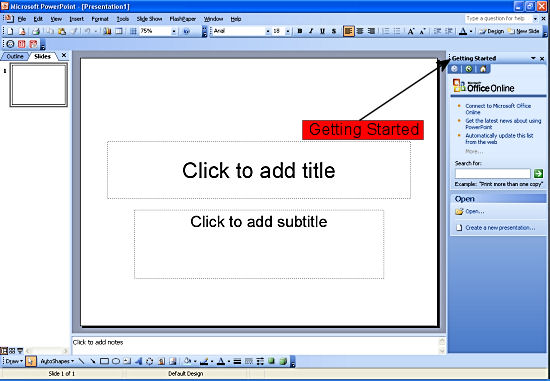
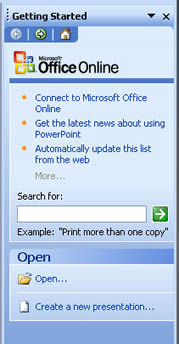
In PowerPoint the first thing you see is a step-by-step 'Getting Started' tutorial. It's really easy to use. If your first effort is not perfect, well, try again. Nobody 'gets' it the first time. Three keyboard shortcuts you should have at the ready for any program you use:
Today's most well known or substantial programs open up with a default step-by-step tutorial right on the screen. Have I used the comparison before, the car and the computer?
Think of the computer as your car. The programs are the gas. Without programs the computer is useless, without gas the car goes nowhere. Without you at the controls neither the car nor the computer go anywhere. What's the point in having either a car or a computer if you don't take control of it and use it? Menus in the programs are like the road map for the car, they show you how get to your destination.As emphasized in one of my earlier posts: Try things, open a new program and read the screen... READ THE SCREEN! Look at the menus, see what they offer, click on the menus, see what happens.
In PowerPoint the first thing you see is a step-by-step 'Getting Started' tutorial. It's really easy to use. If your first effort is not perfect, well, try again. Nobody 'gets' it the first time. Three keyboard shortcuts you should have at the ready for any program you use:
- Pressing [F1] gets you the help file
- Pressing [Ctrl] + [Z] is the undo shortcut - press it several times to undo several steps (or find the 'Undo' always as the first selection in the 'Edit' (top) menu)
- Pressing [Ctrl] + [S] is the 'Save' shortcut, press it often
# posted by pixeldrummer @ 18:07 

